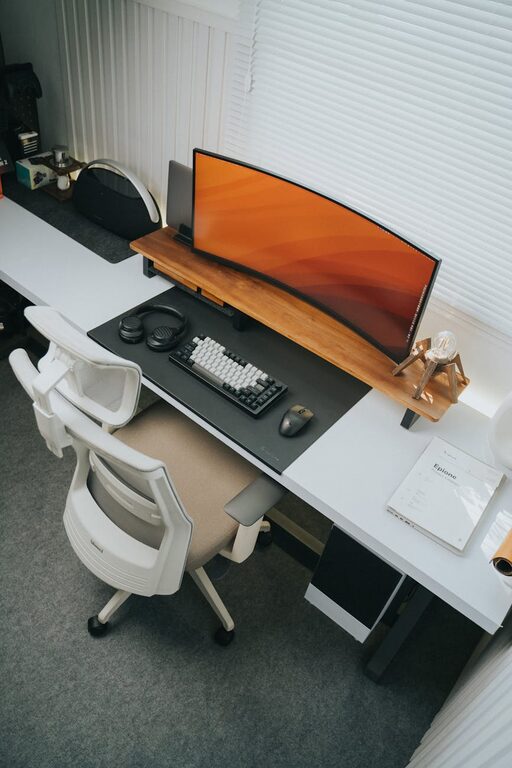






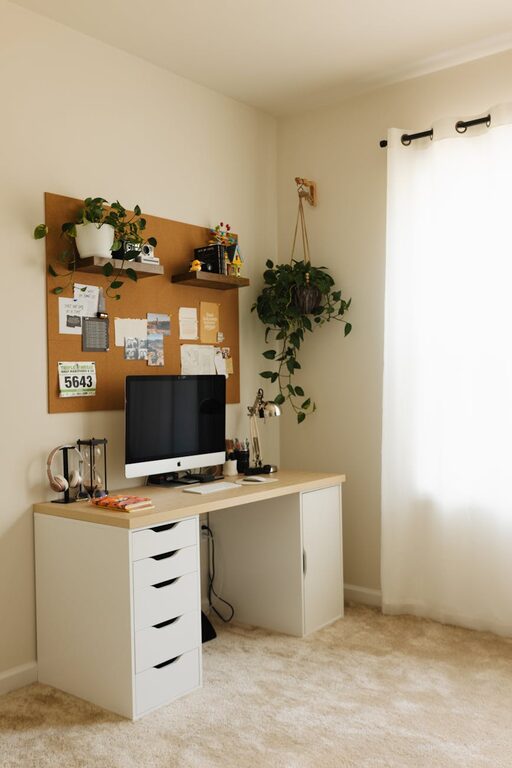
Creating a home office that feels comfortable yet inspires productivity can be a game-changer for anyone working remotely or running a business from home. A well-designed workspace helps minimize distractions, supports focus, and makes your workday more enjoyable.
In this post, we’ll explore practical tips for setting up a cozy and productive home office environment tailored to your needs.
Choose the Right Location
Your office’s location impacts both comfort and focus. Ideally, pick a quiet spot in your home with minimal foot traffic. Consider these options:
– A spare room dedicated solely to work
– A quiet corner of the living room or bedroom
– Near a window for natural light
Avoid areas near noisy appliances or in busy household zones to reduce interruptions.
Prioritize Comfort
Comfort is key to maintaining productivity throughout the day. Here’s how to achieve it:
Invest in an Ergonomic Chair
A supportive chair protects your back and encourages good posture.
– Look for adjustable height and lumbar support
– Consider a cushion for extra comfort
Use a Suitable Desk
Choose a desk that fits your space and work style. Make sure it’s at a height where your wrists can rest comfortably while typing.
Manage Temperature and Air Quality
Keep the room at a comfortable temperature. Use a fan, heater, or air purifier if needed to create a pleasant atmosphere.
Optimize Lighting
Good lighting reduces eye strain and improves alertness.
– Position your desk near natural light but avoid glare on screens
– Use adjustable desk lamps for task lighting
– Select light bulbs that mimic daylight for a more natural feel
Personalize Your Space
Adding personal touches makes your office inviting and motivating.
– Use artwork or photos that inspire you
– Add plants for a touch of nature and cleaner air
– Choose colors that boost your mood, like soft blues or greens
Organize for Efficiency
A clutter-free environment helps maintain focus.
Use Storage Solutions
– Shelves, bins, or drawers keep supplies tidy
– Cable organizers prevent tangles
Declutter Regularly
Set aside time weekly to clear unnecessary items and keep your workspace fresh.
Incorporate Technology Thoughtfully
Use technology that supports your workflow without causing distractions.
– Invest in a good-quality monitor and keyboard
– Use noise-canceling headphones if you need quiet
– Keep device chargers and cables organized
Create Boundaries
Separate your work life from home life by setting clear boundaries.
– Define specific work hours
– Use a door or room divider if possible
– Inform family or housemates of your schedule
Add Comfort Extras
Small additions can improve your comfort and productivity.
– A soft rug or footrest under the desk
– A water bottle or coffee station nearby
– Background music or white noise for focus
Take Breaks and Move
Your workspace should encourage healthy habits.
– Use a standing desk option or take standing breaks
– Stretch regularly
– Keep exercise equipment nearby for quick activity
Final Thoughts
Designing a cozy and productive home office is about balancing comfort, functionality, and personal style. By thoughtfully choosing your space, optimizing lighting and furniture, and keeping things organized, you create an environment that supports your best work every day. Experiment with what feels right and adjust as you go to make your home office a true productivity haven.